Payment attempts
Payment attempts is a log of every transaction that has been submitted through any payment gateway — whether it succeeded, failed, or is pending. This is the diagnostic view used by administrators to investigate payment issues.
Navigation: Finance → Attempts
What is a payment attempt?
When a parent tries to pay online (e.g., via PayNow, EcoCash, or Stripe), the gateway logs the attempt before it is confirmed. An attempt can result in:
- Success — money was received; a payment record was created automatically
- Failed — the transaction was declined (insufficient funds, wrong PIN, card declined)
- Pending — the gateway has not yet confirmed or denied the transaction
- Cancelled — the parent abandoned the payment flow before completing it
Payment attempts page
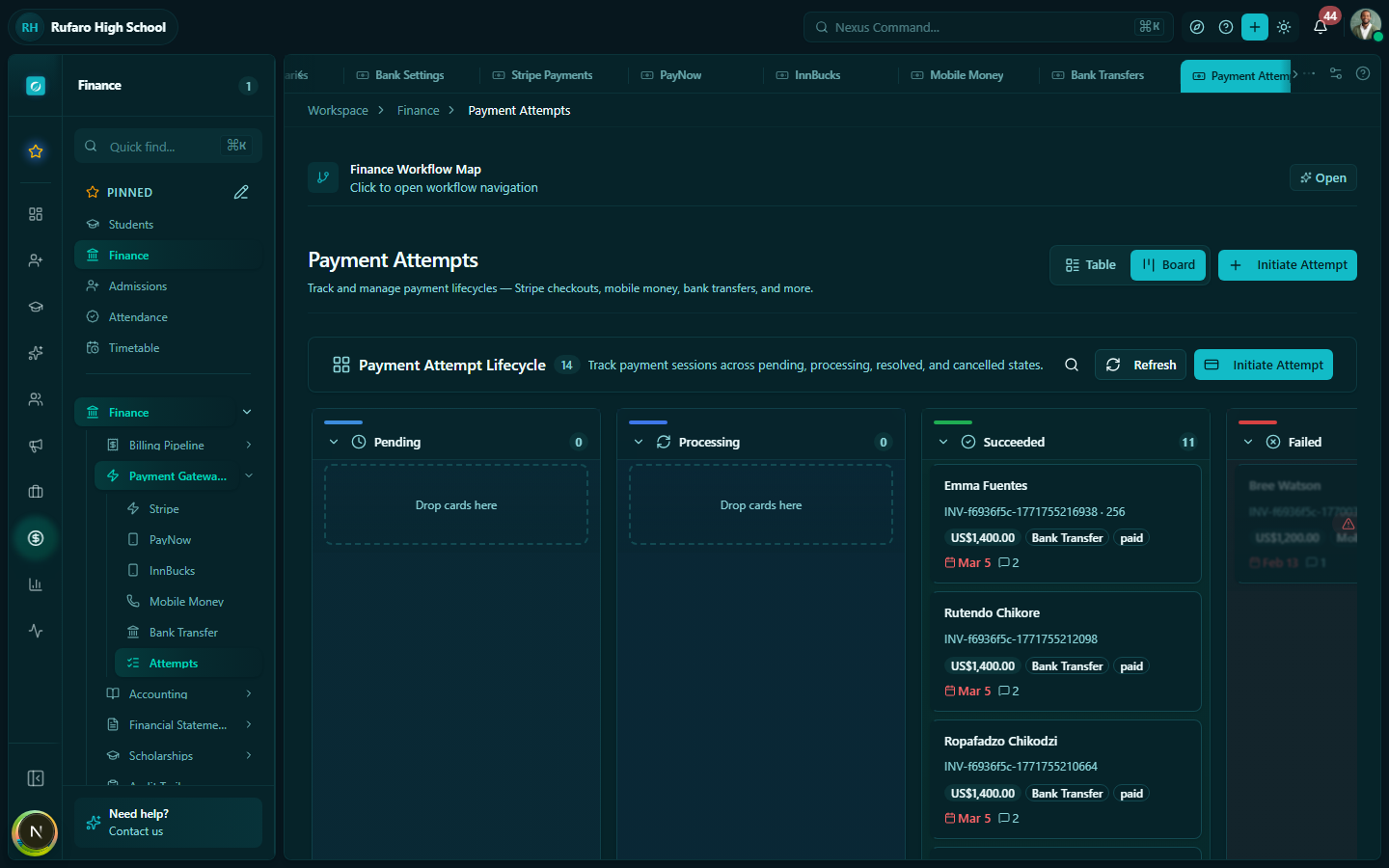
Columns explained
| Column | Description |
|---|---|
| Attempt ID | Unique identifier from the gateway |
| Student / Reference | Student name if matched, or raw reference from the gateway |
| Gateway | Which provider processed the attempt (Stripe, PayNow, EcoCash, etc.) |
| Amount | Amount that was attempted |
| Status | Success, Failed, Pending, or Cancelled |
| Timestamp | When the attempt was made |
| Error code | Gateway error code for failed attempts |
| Linked payment | If successful, a link to the created payment record |
Filtering attempts
| Filter | Options |
|---|---|
| Status | All, Success, Failed, Pending, Cancelled |
| Gateway | Filter to a specific payment provider |
| Date range | Narrow to a specific period |
| Student | Search by student name or gateway reference |
Viewing attempt details
Click any attempt to open the detail panel:
The detail view shows the raw gateway response, which includes the exact error message returned by the gateway. This is useful when troubleshooting specific failures.
Common failure scenarios
| Gateway | Error | Meaning | Action |
|---|---|---|---|
| EcoCash | INSUFFICIENT_FUNDS | Parent's wallet balance is too low | Ask parent to top up and retry |
| PayNow | INVALID_REFERENCE | Wrong invoice number entered | Ask parent to use the correct reference |
| Stripe | card_declined | Card was declined by issuing bank | Parent should contact their bank |
| InnBucks | WRONG_PIN | Parent entered incorrect PIN | Parent should retry with correct PIN |
| Any | DUPLICATE_TRANSACTION | Same payment attempted twice | Check if a successful payment already exists |
| Any | TIMEOUT | Gateway did not respond in time | Status should auto-update; check back in 10 minutes |
Manually linking an unmatched attempt
If a successful gateway attempt is not linked to a student or invoice (because the parent used an unrecognisable reference), you can manually link it:
- Open the unmatched attempt
- Click Link to student / invoice
- Search for the correct student
- Select the invoice to apply the payment to
- Click Confirm link
The system will create a payment record and update the invoice balance.
Re-triggering a webhook
If a payment was confirmed by the gateway but the webhook was not received (e.g., a network issue at the time):
- Open the attempt
- Click ⋮ menu → Re-trigger webhook
- The gateway re-sends the confirmation
- The payment record is created if not already present
Only use re-trigger if you are certain the gateway confirmed the payment. Triggering twice on a genuine success will attempt to create a duplicate payment — the system deduplicates by gateway reference, but verify the result.
Exporting attempt logs
- Apply your filters
- Click Export → CSV
- The export includes all visible columns plus the full gateway error message
Useful for:
- Monthly reconciliation with gateway statements
- Investigating a batch of failed payments reported by parents
- Auditing gateway activity for a specific period