Financial statements
Financial statements are the formal summary reports of your school's financial position and performance. The system generates three standard financial statements automatically from your recorded transactions: the Trial Balance, the Income Statement (Profit & Loss), and the Balance Sheet.
These reports are typically shared with the school board, governing body, and external auditors.
Trial Balance
Navigation: Finance → Trial Balance
The trial balance lists every account in the chart of accounts with its total debit and credit balance for a given period. The sum of all debits must equal the sum of all credits — if they don't, there is an accounting error.
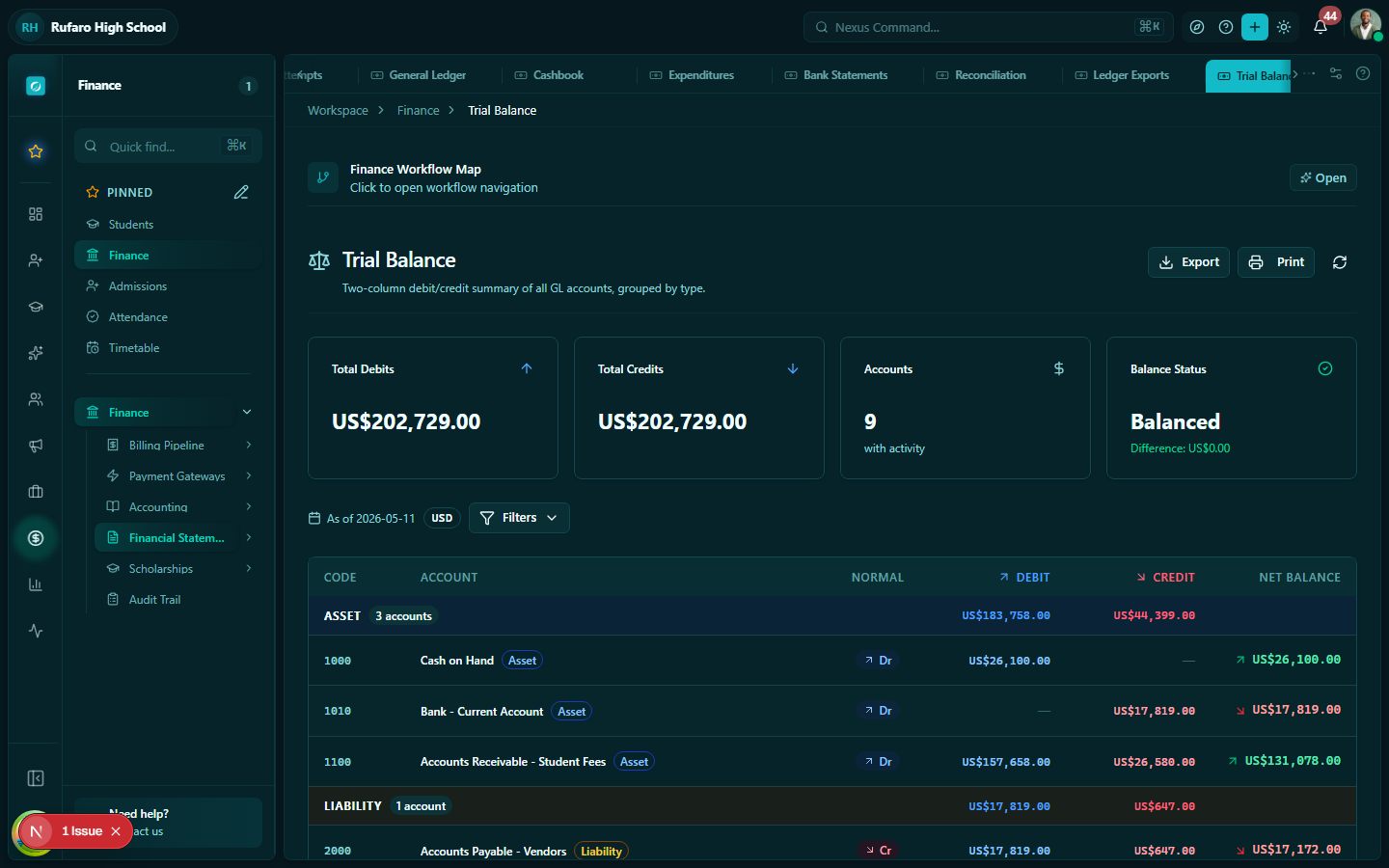
Generating a trial balance
- Open Finance → Trial Balance
- Select the date range (typically a financial year or term period)
- The report is generated automatically
- Click Export to download as PDF or CSV
Reading the trial balance
| Column | Description |
|---|---|
| Account code | The GL account code |
| Account name | Description of the account |
| Opening balance | Balance at the start of the period |
| Period debits | Total debits during the period |
| Period credits | Total credits during the period |
| Closing balance | Balance at the end of the period |
The bottom rows show the grand total for debits and credits — they must match (balance). If they don't match, investigate unbalanced journal entries.
Income Statement (Profit & Loss)
Navigation: Finance → Income Statement
The income statement shows the school's revenue and expenses over a period, resulting in a surplus (profit) or deficit (loss).
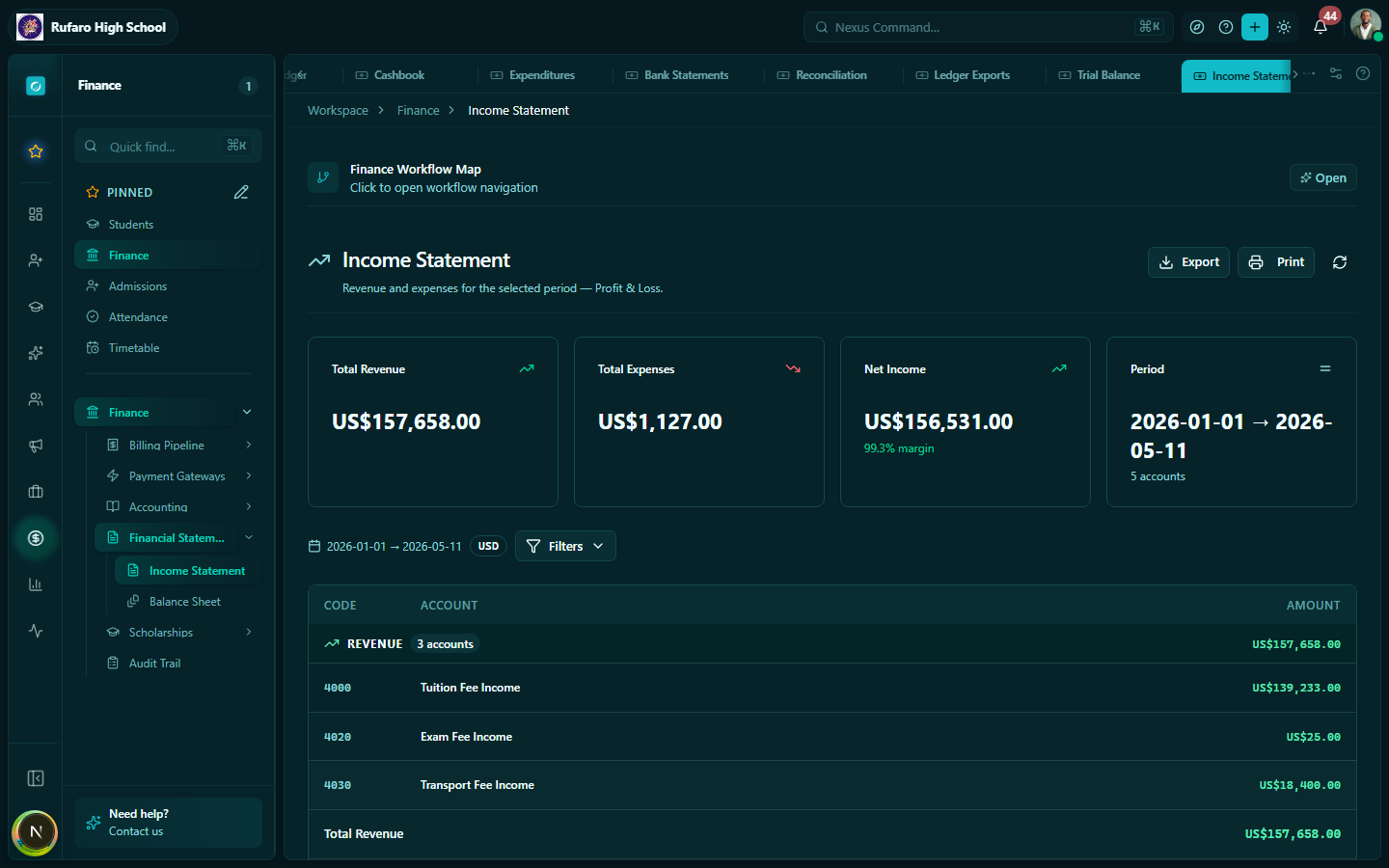
Income statement structure
INCOME
  Tuition income             $ X,XXX
  Examination fees           $   XXX
  Registration fees          $   XXX
  Other income               $   XXX
  ─────────────────────────────────
  Total income               $ X,XXX

EXPENSES
  Staff salaries             $ X,XXX
  Utilities                  $   XXX
  Stationery & supplies      $   XXX
  Maintenance & repairs      $   XXX
  Other expenses             $   XXX
  ─────────────────────────────────
  Total expenses             $ X,XXX

  ═════════════════════════════════
  NET SURPLUS / (DEFICIT)    $   XXX
Generating the income statement
- Open Finance → Income Statement
- Select the period — typically by term or full academic year
- Click Generate
- Review the figures
- Click Export PDF to produce a printable report
Comparing periods
Use the Compare toggle to see two periods side by side (e.g., Term 1 2026 vs Term 1 2025). This helps identify trends in income and spending.
Balance Sheet
Navigation: Finance → Balance Sheet
The balance sheet shows the school's financial position at a specific point in time — what the school owns (assets), what it owes (liabilities), and its net worth (equity).
The fundamental equation:
Assets = Liabilities + Equity
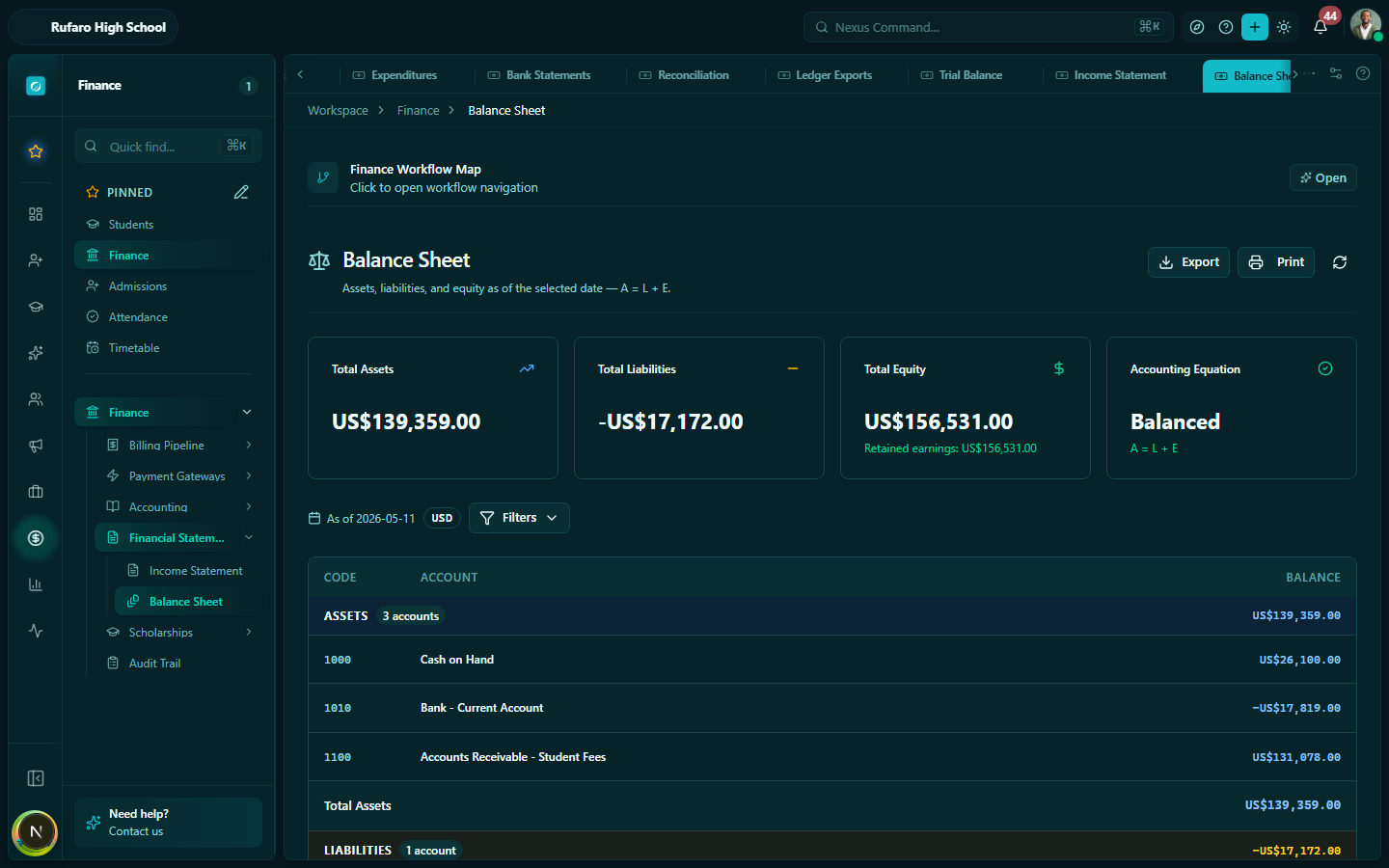
Balance sheet structure
ASSETS
  Current assets
    Cash at bank             $ X,XXX
    Accounts receivable      $ X,XXX  ← Outstanding fees from students
    Prepayments              $   XXX
  Fixed assets
    Buildings & land         $ X,XXX
    Equipment                $   XXX
  ─────────────────────────────────
  Total assets               $ X,XXX

LIABILITIES
  Current liabilities
    Accounts payable         $   XXX  ← Unpaid supplier invoices
    Deposits received        $   XXX
  ─────────────────────────────────
  Total liabilities          $   XXX

EQUITY
  School fund                $ X,XXX
  Accumulated surplus        $   XXX
  ─────────────────────────────────
  Total equity               $ X,XXX

  Total liabilities + equity $ X,XXX  ← Must equal Total assets
Generating the balance sheet
- Open Finance → Balance Sheet
- Select the as-at date (the date you want the snapshot for — typically the last day of a term or financial year)
- Click Generate
- Export as PDF for board reporting
Best practices for financial reporting
- Run the trial balance first at the end of each period to verify your books are balanced before producing the income statement and balance sheet
- Reconcile before reporting — complete your bank reconciliation before generating financial statements to ensure accuracy
- Export and archive statements at the end of each term and financial year — keep them as official records
- Share with the board — provide the income statement and balance sheet to the school board at each board meeting (typically end of term)
- Year-end closing — at the end of the financial year, your accountant should post a closing journal entry to transfer the net surplus/deficit to retained equity