Finance
The Finance module is the central hub for all money-related activity at your school — from defining fee structures and generating bulk invoices to recording payments, managing the general ledger, and producing financial statements. It is designed for school administrators, bursars, and finance officers who need accurate, real-time visibility over every dollar that flows in and out.
Who uses Finance?
| Role | What they do |
|---|---|
| Bursar / Finance Officer | Day-to-day: record payments, issue receipts, chase outstanding invoices |
| Head / Principal | Monitor collection rates, approve fee structures, review financial statements |
| Admin Staff | Generate billing runs, manage scholarships, reconcile bank statements |
| IT / Super Admin | Configure payment gateways, manage bank webhooks, export ledger data |
Finance workflow at a glance
Module map
The Finance domain is organised into these areas. Click any link to go directly to that section.
Payment Collection
| Module | Path | Purpose |
|---|---|---|
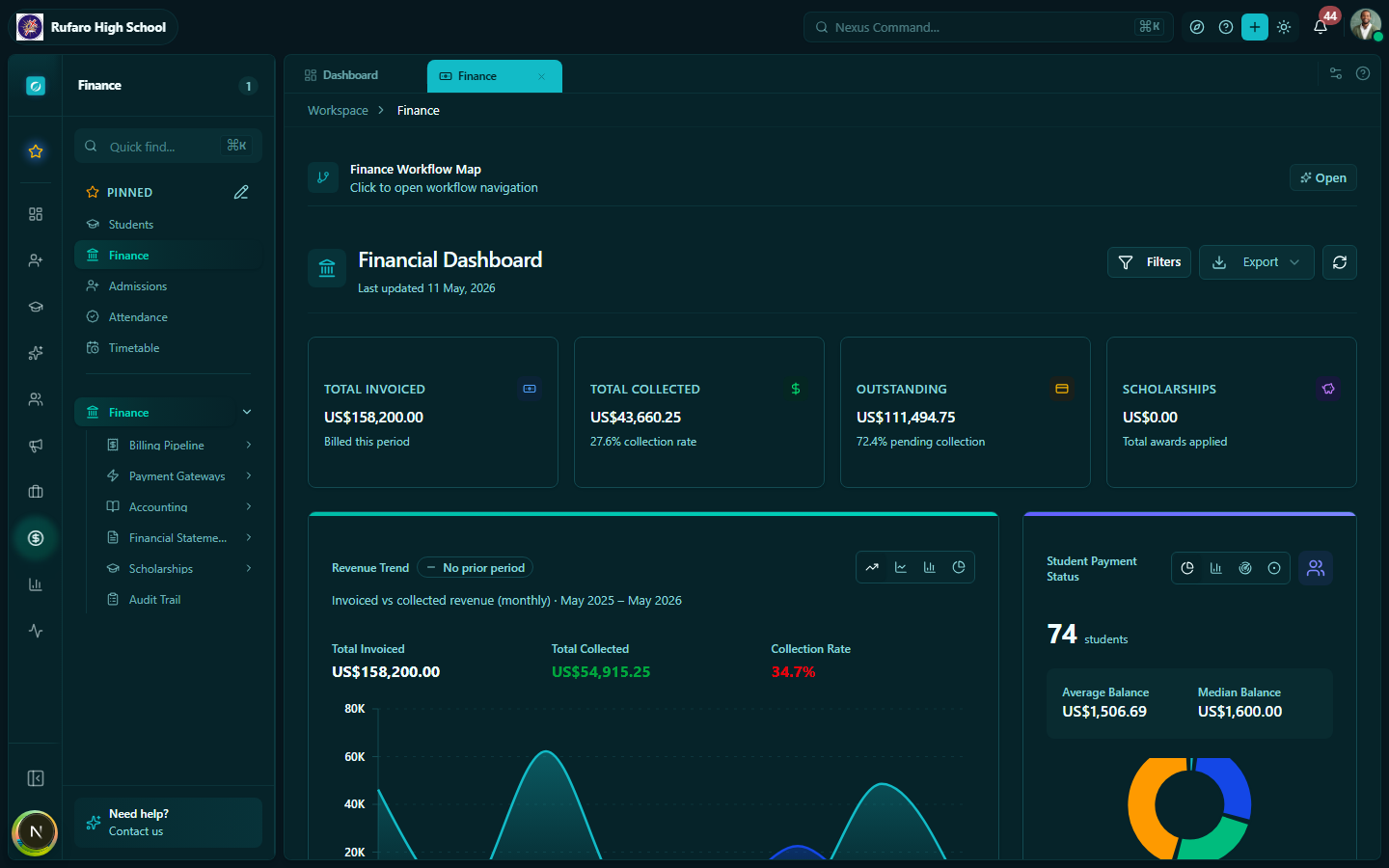
| Dashboard & Analytics | Finance | Collection KPIs, recent activity, and quick actions |
| Payments | Finance → Payments | Record cash, card, and transfer payments |
| Receipts | Finance → Receipts | Issue, print, and email receipts |
| Receipt Templates | Finance → Receipt Templates | Design custom receipt layouts |
| Student Accounts | Finance → Student Summaries | Account balances and collection rates |
Billing Pipeline
| Module | Path | Purpose |
|---|---|---|
| Fee Structures | Finance → Fee Structures | Create fees, payment plans, and adjustments |
| Billing Runs | Finance → Billing Runs | Generate invoices in bulk for a term or class |
| Invoices | Finance → Invoices | View, send, cancel, and manage individual invoices |
Payment Gateways
| Module | Path | Purpose |
|---|---|---|
| Payment Gateways | Finance → Bank Settings | Configure Stripe, PayNow, InnBucks, Mobile Money, and bank transfer |
| Payment Attempts | Finance → Attempts | View all gateway transactions and failures |
Accounting
| Module | Path | Purpose |
|---|---|---|
| Accounting | Finance → General Ledger | GL, cashbook, expenditures, bank statements, reconciliation |
| Ledger Exports | Finance → Exports | Export GL data for external accounting software |
Financial Reporting
| Module | Path | Purpose |
|---|---|---|
| Financial Statements | Finance → Trial Balance / Income Statement / Balance Sheet | Statutory reports |
Other
| Module | Path | Purpose |
|---|---|---|
| Scholarships | Finance → Scholarships | Define programs, award students, review applications |
| Audit Trail | Finance → Audit Log | Full change history for all financial operations |
Navigation
All Finance pages are reachable from the Finance item in the left sidebar. Click the Finance label to expand the section and see sub-items.
Key concepts
Currency
The school's preferred currency is configured in School Profile. All fees and invoices are created in that currency by default. The system supports USD and ZWL.
Academic year & term
Most billing operations are scoped to an academic year and optionally a term. Make sure your academic year is set as current before running billing operations.
Approval workflows
Fee structures and billing runs may require approval before they take effect. The approver is notified automatically and can approve or reject from the Finance module.
Permissions
Access to Finance features is controlled by role-based permissions. Contact your system administrator if you cannot see a Finance section you need.