Dashboard
The Library dashboard is your at-a-glance command centre for daily circulation operations. It shows real-time counts, flags overdue items, lists recent transactions, and surfaces the books your students borrow most.
Navigate to Operations → Library (the Dashboard tab is selected by default).
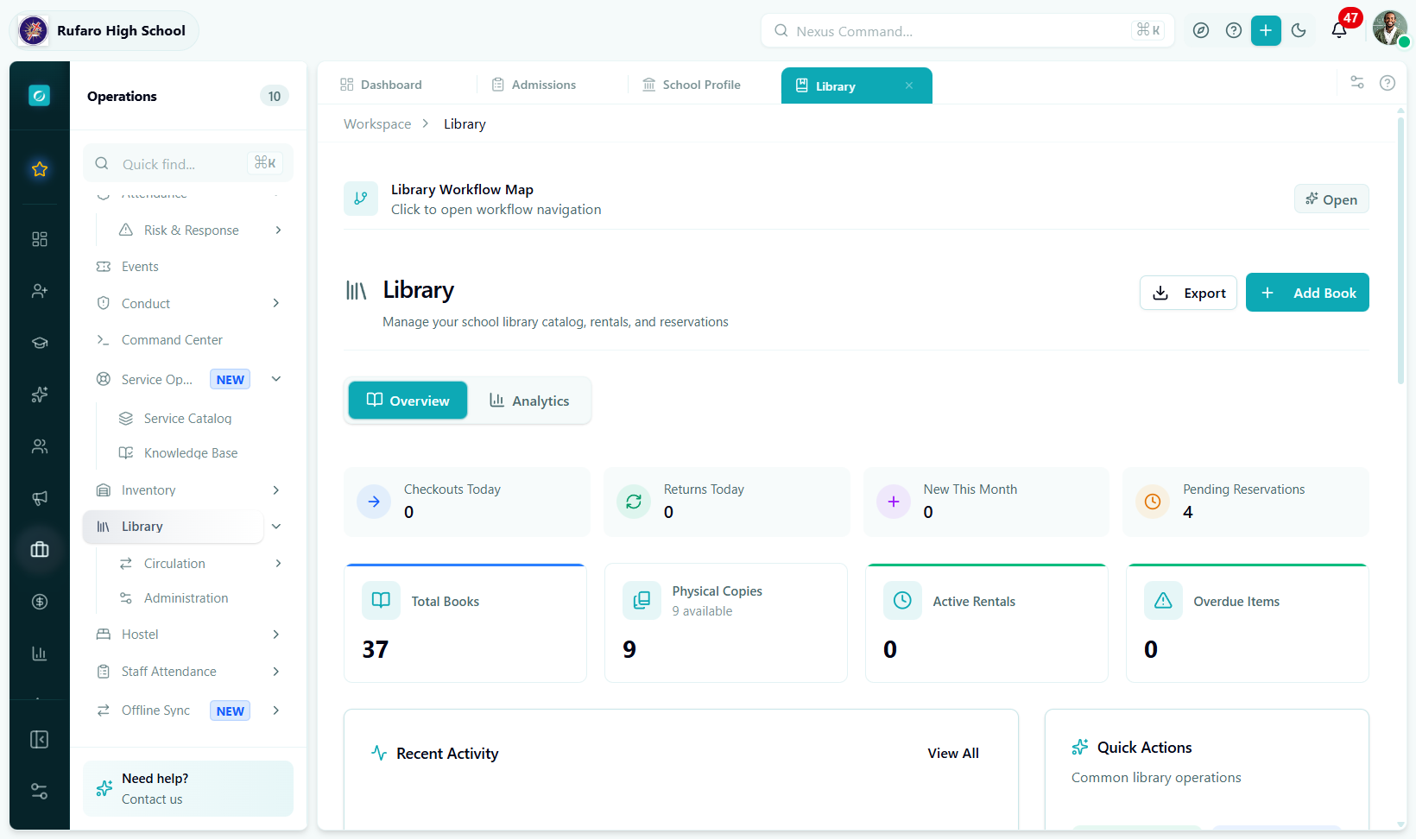
The Library dashboard. Stat cards update as checkouts and returns are processed. The Overdue Alerts panel shows items needing immediate attention.
Stat cards
Six cards across the top of the dashboard give you an instant snapshot of library health:
| Card | What it shows | When to act |
|---|---|---|
| Total Books | Unique titles in the catalog | — |
| Total Copies | Total physical items (all statuses) | — |
| Available Copies | Copies ready to be checked out | Low number means high demand |
| Active Rentals | Books currently borrowed | — |
| Overdue Rentals | Rentals past their due date | > 0 means action needed |
| Pending Reservations | Hold requests waiting in queue | — |
| Ready for Pickup | Reserved books a borrower can collect now | Notify borrowers promptly |
| Circulation Rate | Percentage of copies currently borrowed | High % = popular collection |
A circulation rate above 80% means most of your copies are in use. Consider ordering additional copies of popular titles to reduce reservation queues.
Copies by status breakdown
Below the main stat cards, a status breakdown shows where every physical copy is right now:
| Status | Meaning |
|---|---|
available | On the shelf and ready for checkout |
checked_out | Currently borrowed by a student or teacher |
reserved | Held at the desk for a reservation pickup |
repair | Being repaired — not available |
lost | Reported lost — not available |
damaged | Damaged beyond normal use — not available |
Quick actions
Four shortcut buttons let you start the most common operations without navigating to a sub-page:
| Button | What it does |
|---|---|
| New Checkout | Opens the New Checkout dialog immediately |
| Add Book | Opens the Add Book dialog |
| Search Catalog | Jumps to Books with the search field focused |
| View Overdue | Jumps to Rentals filtered to overdue only |
Overdue Alerts panel
The Overdue Alerts panel lists every rental that has passed its due date. Each row shows:
- Borrower name and type (Student / Teacher)
- Book title
- Days overdue
- Outstanding late fee
Click any row to open the rental detail where you can send a reminder, process the return, or mark the book as lost.
The longer an item stays overdue, the less likely it is to be returned in good condition. Send a reminder as soon as a rental becomes overdue and follow up after 7 days.
Recent Activity feed
The activity feed lists the last 20 library events in reverse chronological order:
| Event type | Description |
|---|---|
checkout | A copy was checked out |
return | A copy was returned |
reservation | A new hold request was created |
overdue | A rental crossed its due date |
new_book | A new title was added to the catalog |
Each entry shows the time, the staff member who performed the action, and the book and borrower involved.
Popular Books widget
The Popular Books list shows the titles with the highest timesBorrowed count. Use it to:
- Identify titles that need more copies
- Build reading lists and recommendations
- Inform purchasing decisions
Dashboard widgets summary
| Widget | Location | Purpose |
|---|---|---|
| Stat Cards | Top row | Key metrics at a glance |
| Status Breakdown | Below stats | Where all copies are right now |
| Quick Actions | Sidebar / top bar | Shortcuts to common tasks |
| Overdue Alerts | Bottom panel | Items needing immediate follow-up |
| Recent Activity | Main feed | Live transaction log |
| Popular Books | Side panel | Most borrowed titles |