Dashboards & Progress
The system provides three analytics surfaces for monitoring registration health - from individual class views through school rollup to ministry-wide oversight.
Progress metrics explained
Every session and every dashboard rolls up the same set of counters:
| Metric | How it is computed |
|---|---|
expectedCount | Set on the session at creation time |
codesGenerated | Total codes issued to date for this session |
unused | Codes not yet started |
started | In progress but not submitted |
submitted | Submitted, awaiting review |
needsCorrection | Sent back to participant |
approved | Accepted and imported |
rejected | Permanently rejected |
imported | Confirmed written to roster |
completionPercent | (submitted + approved + imported) / expectedCount × 100 |
approvalPercent | approved / (submitted + needsCorrection + approved + rejected) × 100 |
Session-level progress
The quickest way to check one session's health is the session progress endpoint. It returns the full RegistrationProgressSummary plus hydrated references to the school, grade level, class division, academic year, and term.
const { data: progress } = useRegistrationSessionProgress(sessionId);
Displayed fields typically rendered in the Session Detail view:
- Header counters (expected / submitted / approved)
- A
completionPercentprogress bar - Breakdown badges for
started,needsCorrection,rejected
API: GET /registrations/sessions/{id}/progress
Hook: useRegistrationSessionProgress(id)
School progress dashboard
Aggregates progress across all sessions belonging to one school. Useful for a school principal or administrator to see where each class/grade stands.
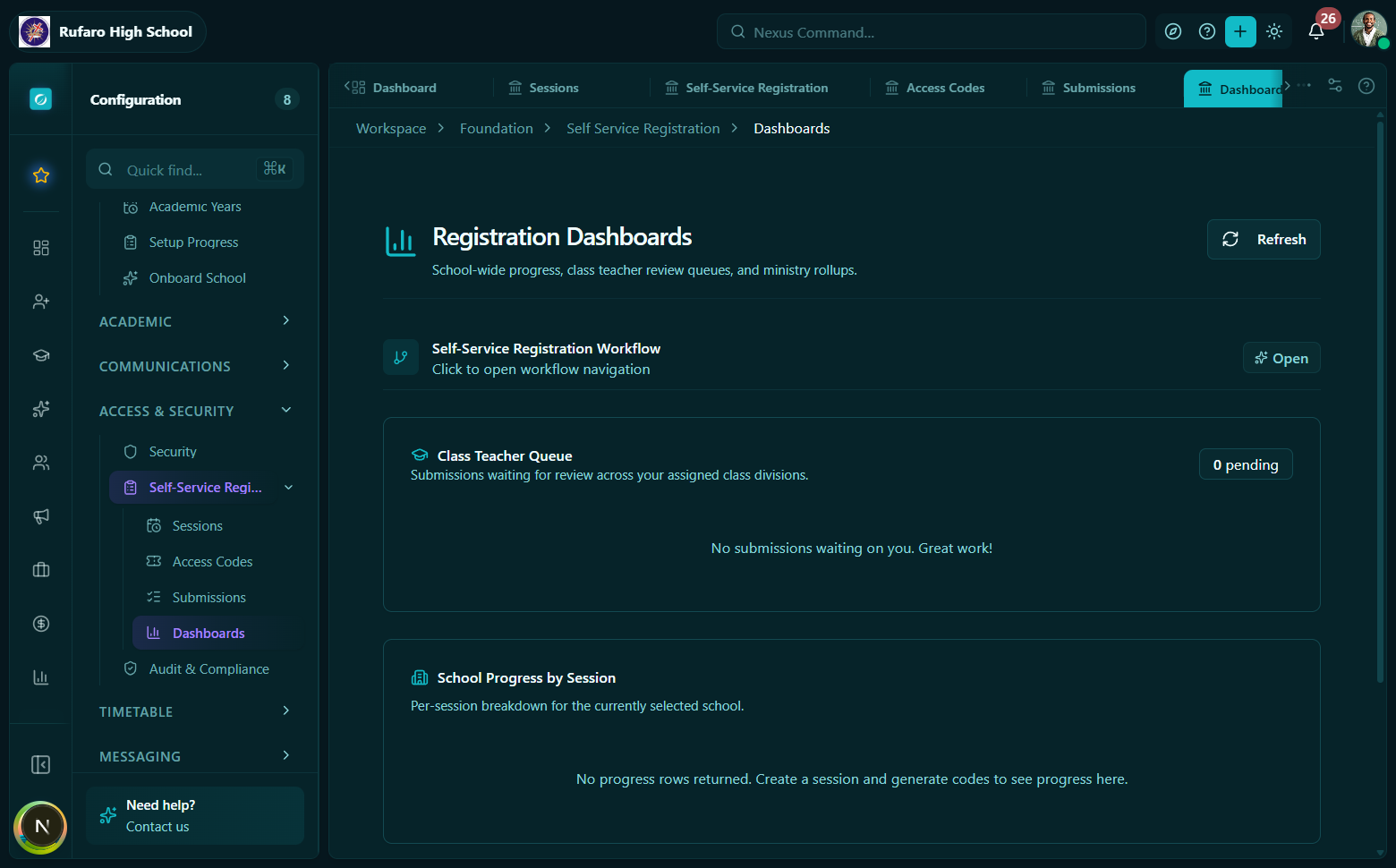
School progress dashboard. Each row represents one class/session. Progress bars show submission completion; badges show how many are pending review, approved, or need correction.
const { data } = useSchoolRegistrationProgress({
  mode: "student_intake",
  status: "open",
  classDivisionId: "optional-filter",
});
The response contains an items array of RegistrationProgressSummary objects - one per session matching the filters. Each item includes the hydrated classDivision, gradeLevel, and academicYear references.
Typical display
School: Highfield Secondary - Form 1 Intake 2026

  Class 1A  ####################  80%  (24/30 submitted)
  Class 1B  ##########----------  40%  (12/30 submitted)
  Class 1C  ###################-  92%  (28/30 submitted)
API: GET /registrations/dashboards/school-progress
Hook: useSchoolRegistrationProgress(params)
Class teacher dashboard
A focused view for class teachers who are responsible for chasing up submissions from their own classes. Returns only the sessions and submissions relevant to the teacher's assigned class divisions.
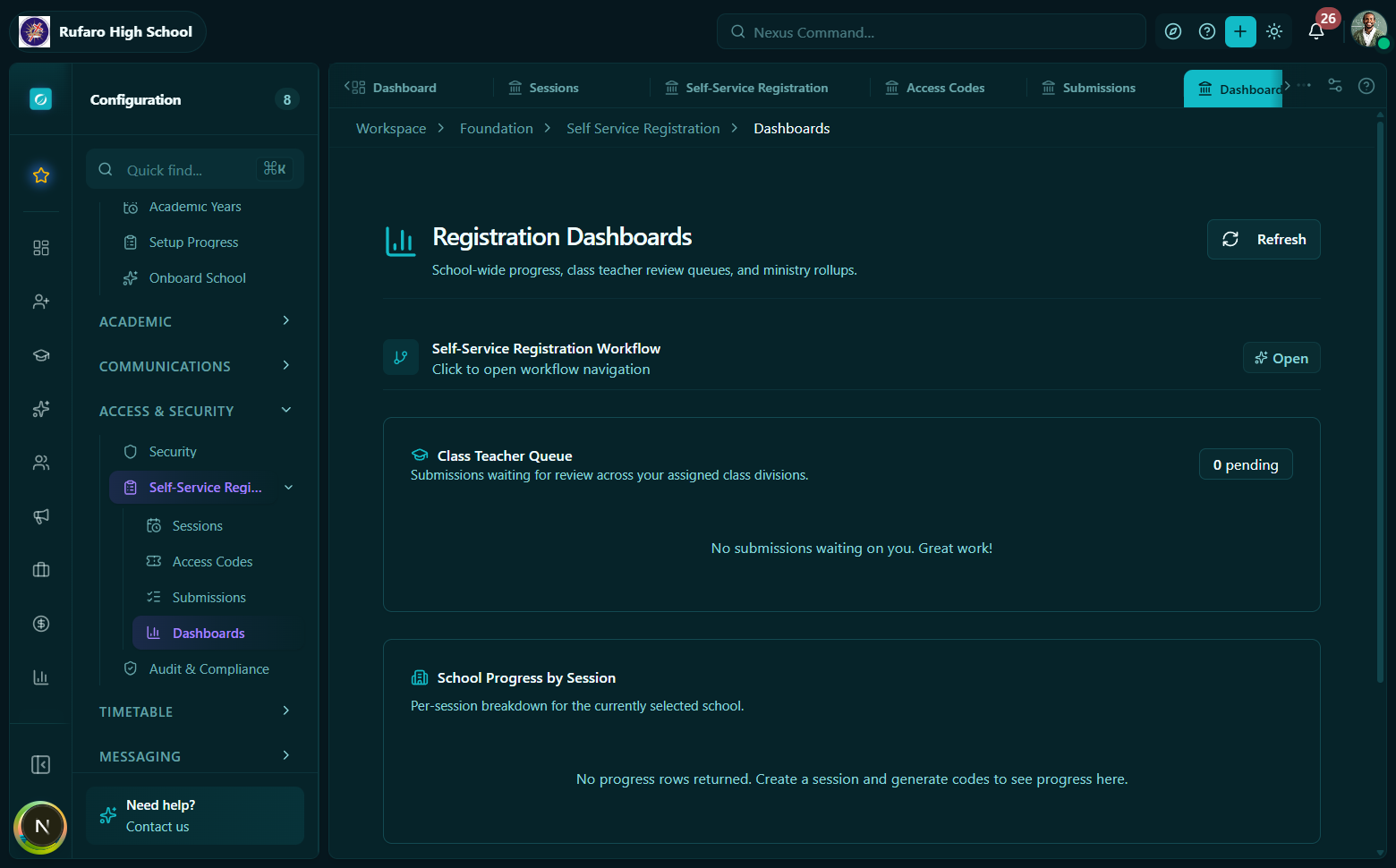
The class teacher view. The pending count badge at the top shows how many need attention. Below, each student's submission status is visible at a glance.
const { data } = useClassTeacherRegistrationDashboard();
Response:
{
  "schoolId": "...",
  "classDivisionIds": ["class-1a-id", "class-1b-id"],
  "pendingCount": 7,
  "submissions": [...]
}
pendingCount- total submissions insubmittedorneeds_correctionstatus across the teacher's classessubmissions- the full submission list for those classes (paginated if large)
Class teachers can:
- See who has submitted and who has not
- Drill into individual submissions to flag fields or request corrections
- Forward to a senior reviewer for final approval
API: GET /registrations/dashboards/class-teacher
Hook: useClassTeacherRegistrationDashboard()
Ministry progress dashboard
Provides a tenant-wide aggregate - useful for education ministry officials or tenant super-admins who need to monitor registration completion across all schools in the system.
const { data } = useMinistryRegistrationProgress({
  mode: "student_intake",
  status: "open",
});
Response:
{
  "tenantId": "...",
  "totalSessions": 42,
  "progress": [
    {
      "sessionId": "...",
      "school": { "id": "...", "name": "Highfield Secondary" },
      "submitted": 87,
      "approved": 72,
      "completionPercent": 94,
      ...
    },
    ...
  ]
}
Each entry in progress is a full RegistrationProgressSummary with a hydrated school reference so you can identify the school without a separate lookup.
API: GET /registrations/dashboards/ministry-progress
Hook: useMinistryRegistrationProgress(params)
The ministry dashboard requires the tenant super-admin role or an explicit registrations.ministry_view permission. School-level users will receive a 403 if they call this endpoint.
Filtering across all dashboards
All progress endpoints accept the same core filters:
| Filter | Type | Description |
|---|---|---|
mode | RegistrationSessionMode | Filter to one session type |
status | RegistrationSessionStatus | Filter to sessions in a specific lifecycle status |
classDivisionId | UUID | Narrow to one class (school and session-level only) |
schoolId | UUID | Narrow to one school (school-level only) |
API quick reference
| Operation | Method + Path | Hook |
|---|---|---|
| Session progress | GET /registrations/sessions/{id}/progress | useRegistrationSessionProgress(id) |
| School progress | GET /registrations/dashboards/school-progress | useSchoolRegistrationProgress(params) |
| Class teacher | GET /registrations/dashboards/class-teacher | useClassTeacherRegistrationDashboard() |
| Ministry progress | GET /registrations/dashboards/ministry-progress | useMinistryRegistrationProgress(params) |