Self-Service Registration
Self-Service Registration lets school staff run structured data-collection campaigns where teachers and students fill in their own details using a unique access code. The system handles distribution, progress tracking, review, correction cycles, and final roster import - all without requiring participants to have portal accounts first.
When to use this module
| Scenario | Mode |
|---|---|
| New school year - collect updated teacher profiles, subjects, and class assignments | teacher_self_registration |
| Incoming students complete and verify their own bio-data before enrollment | student_intake |
| Existing students confirm or correct details already on file | student_verification |
End-to-end flow
Navigation path
The registration workspace lives under Foundation -> Self-Service Registration (segment: foundation/registration).
| Section | Segment | Description |
|---|---|---|
| Sessions | foundation/registration/sessions | Create and manage registration sessions |
| Submissions | foundation/registration/submissions | Review incoming submissions |
| Access Codes | foundation/registration/codes | View and revoke codes |
| Progress | foundation/registration/progress | School-level progress dashboards |
The public registration form is at /register - it does not require a portal login.
Key concepts
Registration session
The top-level container for a data-collection campaign. It scopes to one school and, optionally, to a specific grade level or class division. A session has a lifecycle: draft -> open -> paused -> closed -> archived.
Access code
A short, human-readable code (4 or 6 digits, optionally prefixed) that a participant uses to start the process. Each code maps to exactly one participant slot and tracks the submission lifecycle independently: unused -> started -> submitted -> approved / needs_correction / rejected.
Registration token
When a participant validates their access code, the API returns a short-lived registration token. All subsequent public API calls (save draft, submit, check status) authenticate with this token - not the participant's portal credentials.
Submission
The data record created when a participant starts filling in the form. It carries a payload (raw form data), a normalizedIdentity (system-extracted key fields), and a validationSummary (server-side field warnings). Submissions go through a staff review cycle before being imported.
Roster import
Approving a submission triggers a controlled import: the system can create a new student/teacher record, update an existing one, or merge - controlled by the importMode on the approval request.
Session modes explained
- teacher_self_registration
- student_intake
- student_verification
Teachers fill in their own professional profile - subjects taught, grade levels, department, class teacher assignment, and personal contact details.
Placement is typically not locked (teachers can update their class assignment). selectionContext includes available subjects, departments, and grade levels for dropdown binding. On approval the submission can create or update a Teacher record and optionally provision a portal account.
Used for new students who have not yet been enrolled. Participants fill in full bio-data: name, date of birth, gender, address, guardian information.
Grade level and/or class division can be locked at the session level so all participants in a session target the same placement. Approval creates a Student record, optionally a User account, and optionally creates guardian accounts.
Used for existing students to confirm or correct information already on file. The system pre-populates hints from the existing roster snapshot.
The access code is pre-assigned to a specific student so the participant cannot change their own identity. Staff can apply fieldCorrections during approval to reconcile discrepancies.
Module overview
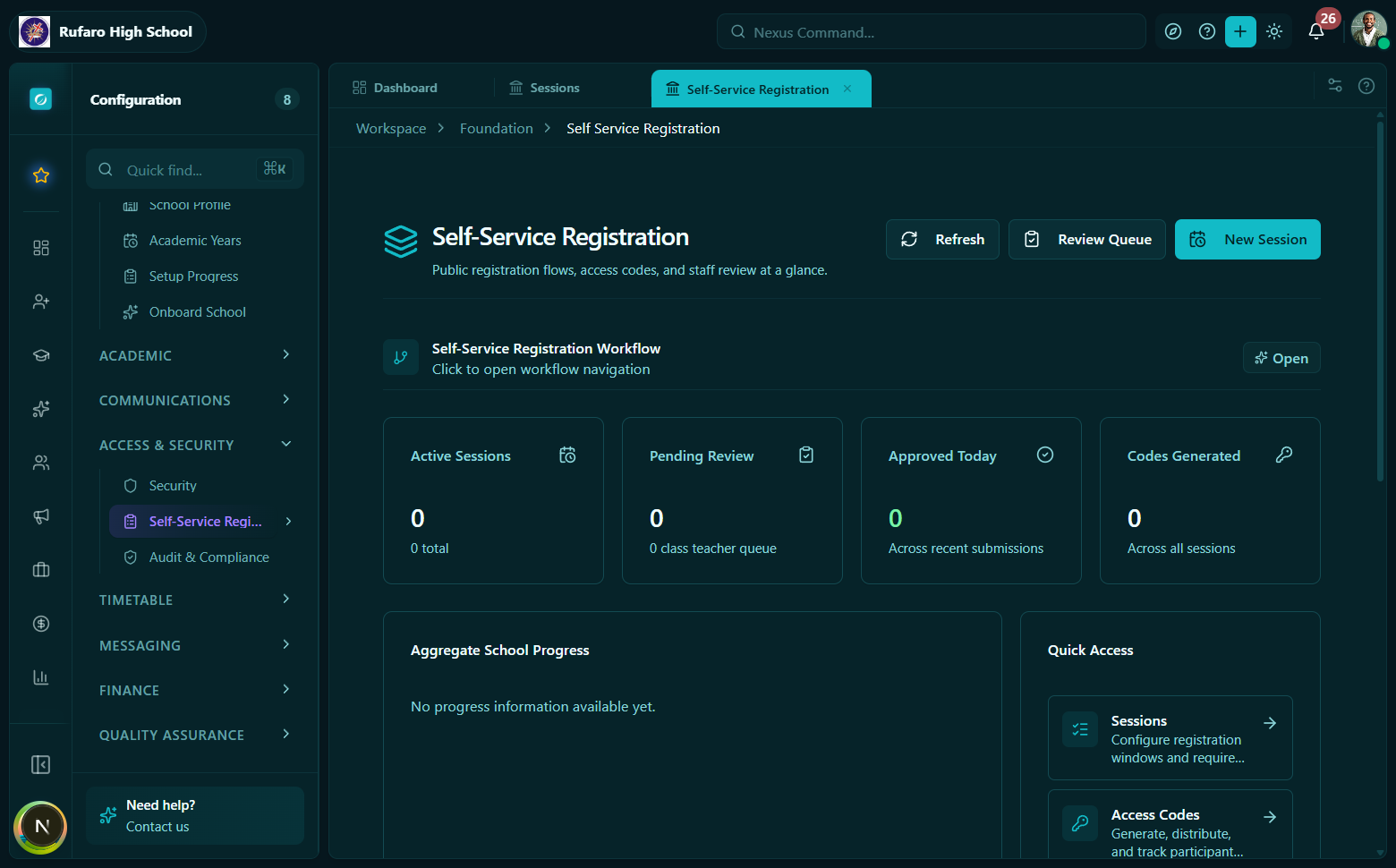
The registration workspace lists all sessions for the current school. Each card shows session mode, status badge, completion percentage, and pending review count.
What's in this section
| Page | What it covers |
|---|---|
| Session Management | Creating, configuring, and transitioning sessions |
| Access Codes | Generating, distributing, and revoking codes |
| Participant Flow | What participants experience at /register |
| Submission Review | Reviewing, correcting, approving, and importing |
| Dashboards & Progress | School-level and ministry-level analytics |
| Reference | All constants, API hooks, and type contracts |